App updates
Thank you to every family for your notes. Each update below came from what you told us. After an update, close the app completely and open it again.
24 October 2026 · A big update from ELAF 🎉
Hello dear families 🌷 Thank you so much for your patience and your notes. Over the last two weeks we worked on many things you told us about. These are the main ones:
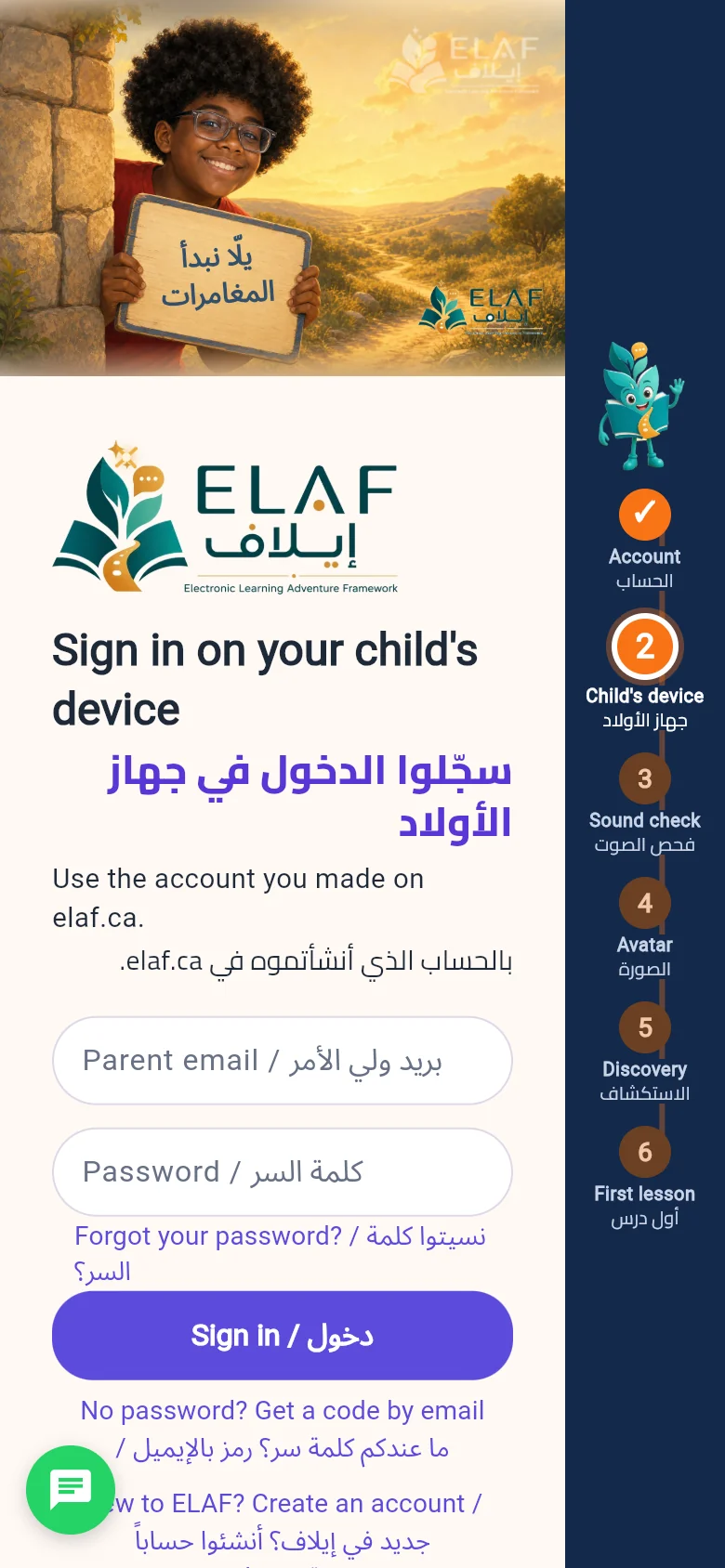
- ✅ Clearer, easier sign-up: six simple steps, shown down the side of the screen with ELAF the mascot, take the family from creating the account to our children's first lesson: account, child's device, sound check, avatar, Discovery, first lesson.
- 🔊 Steadier sound: on some iPhones and Android phones ELAF's voice sometimes did not play. Now, if the browser refuses to play a sound one way, ELAF plays it another way straight away.
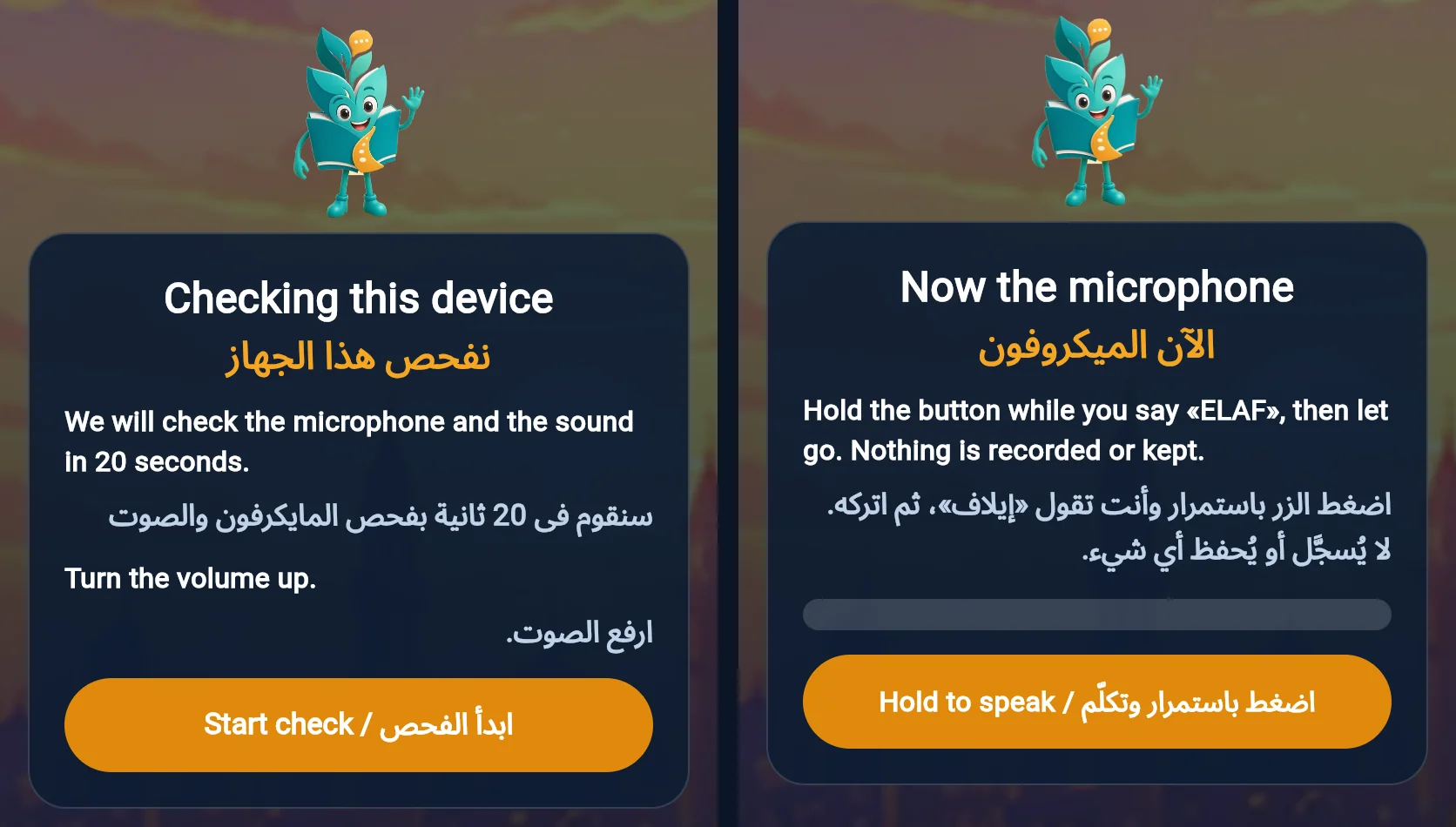
- 🎧 A quick sound and microphone check: the first time ELAF opens on a new device, it checks the sound and the microphone in about 20 seconds. You hear one word, then hold the button while you say «ELAF» and let go. If something is wrong, we find out at the start, before your child's lesson.
- 🎤 Repeat while recording: while the microphone is recording, the Repeat button is grey and does nothing, so ELAF's voice no longer ends up inside your child's answer.
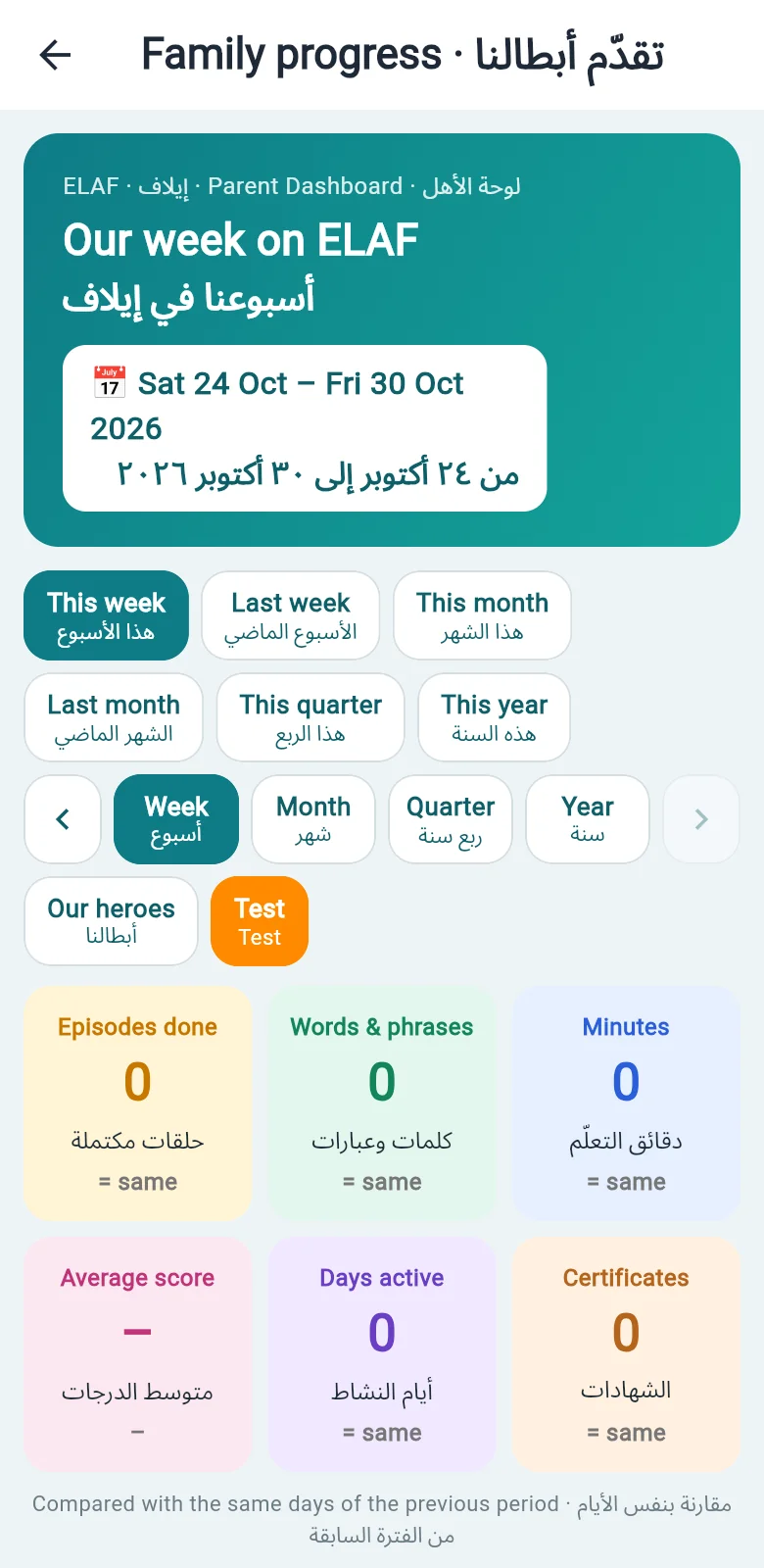
- 📊 The «Our heroes' progress» page: in the Parent Dashboard you can see your children's progress by week, month, quarter and year: episodes finished, words and phrases, minutes and certificates.
- 📧 A weekly report by email: every Monday you get an email with a summary of our children's week on ELAF: episodes finished, challenges and words said aloud.
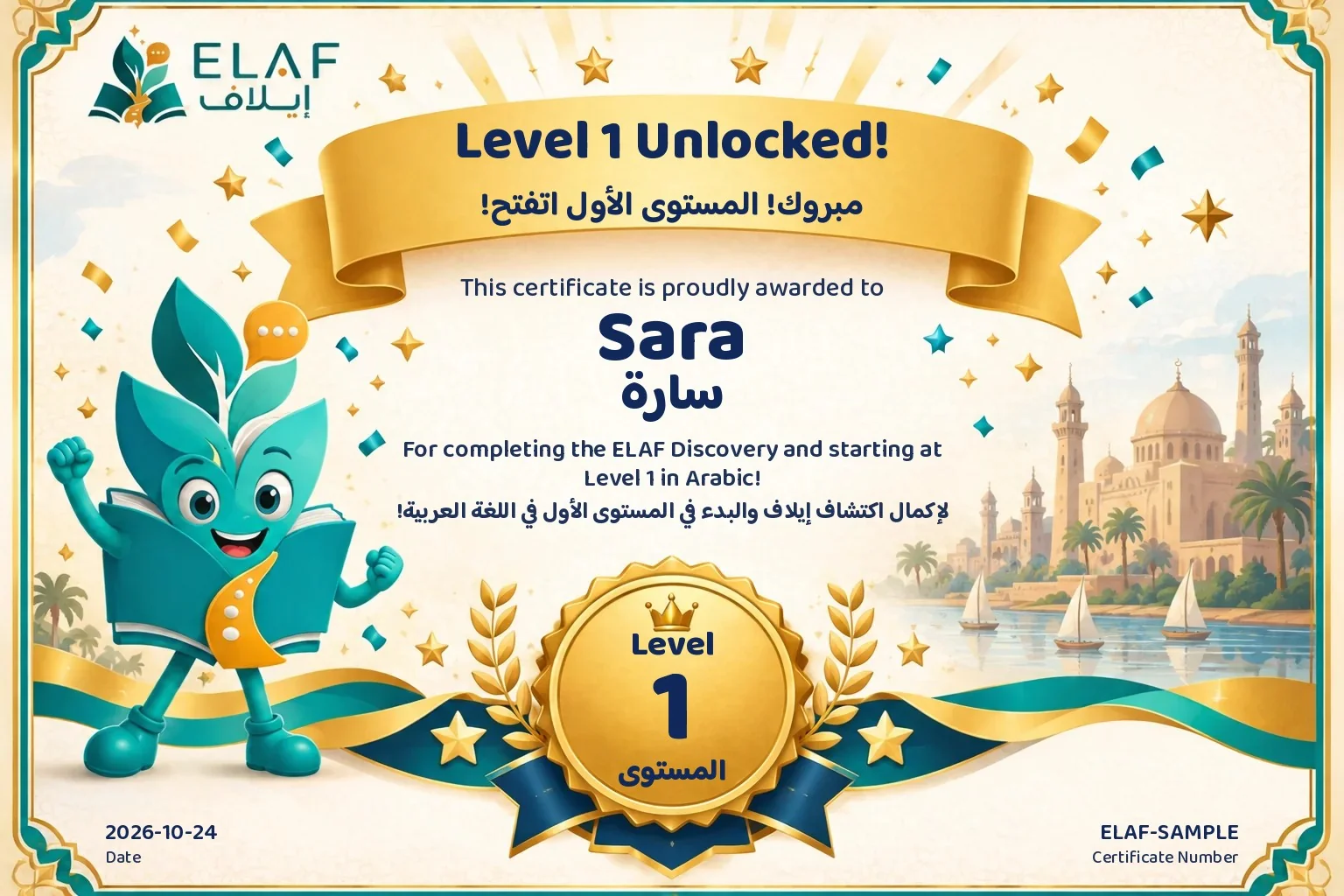
- 🏆 New achievement certificates: our children celebrate with a certificate in their own name after Discovery and when they reach a new Level, with applause and a congratulation in ELAF's voice 👏 The family gets the certificate on WhatsApp, and a certificate for every Adventure they finish.
- 🔁 The Level test is now a choice: only after Adventures 10 and 20, ELAF asks our children whether they want a short test to move up a Level. If they choose «Not now», their lessons carry on as normal.
- 🔄 The app updates itself: no more closing and opening it again. When there is a new version, ELAF picks it up on its own while you are on the list of children; if our children are in a lesson, a small note appears at the top.
- 👦 Adding a child from the app: it was refused because it did not ask for the family name. Fixed.
- 💚 One subscription for the whole family: one price whether you have one child or five, monthly or yearly.
- 📱 ELAF works in the browser: on a phone, a tablet or a computer, at app.elaf.ca.
- 🤷♂️ The store apps: we are still waiting for Google and Apple. We will tell you as soon as the app is on Google Play and the App Store.
💚 If you signed up before, encourage our children to come back and try what is new. If you have not signed up yet, this is a lovely chance to start learning Arabic with our children: elaf.ca. Sharing ELAF with another family helps us reach more children ❤️
Your opinion matters most to us 💚 Every update here came from what you told us. If you have any note or idea, tap the green 🟢 button in the app or message us on WhatsApp. We read every message.
14 October 2026 · Birth year only, for more privacy 🔒
ELAF now asks only for your child's birth year, without the day and month, for more privacy for our children. Dates already saved were changed to the year only. Age is worked out from the year.
13 October 2026 · Fixes from your children's lessons 🛠️
Thank you to every family for testing ELAF with your children 🙏 From how the app was used and the data it collected, we found many problems and fixed them. These are the main ones:
- 🧩 Matching game: some cards had a wrong answer key or small, hard-to-read words. We corrected the answers in every journey and made the words bigger.
- 🔢 Ordering game: in some questions the right order was stored backwards, so a child who ordered correctly was told it was wrong. We corrected it, and the cards now run right to left with numbers on them.
- ✅ Choice questions: the right answer was usually the first one, most True/False answers were True, and sometimes the screen did not match what the child heard. The right answers are now spread out, and the screen matches the voice.
- 🗣️ Repeat after ELAF: a child had to say the word correctly 3 times with a very high mark, got tired and stopped. Two correct tries are now enough.
- ✍️ Writing with the pen: the hamza was hard to trace, and a child got a star even without finishing. The hamza is now easier, and a child who does not finish hears «Good try, let's keep going» with no star.
- 🖼️ Long lessons: after 15 minutes in a lesson the picture stopped loading. Fixed: the lesson carries on.
- 🔊 iPhone and iPad: some of ELAF's lines between tries were silent. Fixed.
- ⏱️ «Listening time could not be loaded» when moving to the next lesson. Fixed.
- 🟢 A new green Support button: the old WhatsApp group bubble made some screens stop; it is gone. In its place, the green button lets you send us a typed or voice message with a picture of the screen.
Also fixed in today's update:
- 🗣️ If the child says the word more than once («جرس جرس جرس»), it now counts as said.
- 🗣️ ELAF accepts the Sudanese way of saying some words, for example «منقة» said «مانقا».
- ✍️ Writing with the pen is easier: writing each letter and the word once correctly is enough, and after two misses ELAF writes it in front of the child and moves on.
- ✍️ If the child lifts the finger a little before the end of the line, or writes a little off the line, it now counts as written. This held children up for a long time on words like «استيكر» and «كاميرا».
- 🎤 The first time it is the child's turn, a note above the microphone shows how to use it: tap once and talk, or hold while talking.
- 📱 On iPhone, if the page reloaded, the home screen could show but not respond until the child was chosen again. Fixed: the app now opens the list of children.
A tip: if your child did not finish the first Discovery questions, open the app and choose your child. They carry on from where they stopped, and their lessons start right after.
What to do: close the app completely and open it again. If anything goes wrong, tap the green 🟢 button in the app and tell us.
7 October 2026 · Set up your child's device with a PIN 🔑
We added an easy way to set up your child's device without a password and without a Google account.
- Open the ELAF app on your child's device.
- Tap No password on this device? Get a PIN by email.
- Type your email, then tap Email me a PIN.
- You will get an email from ELAF with a 6-digit code. Open it on your phone.
- Type the code on your child's device, then tap Authorize This Device.
- Your children appear straight away ✅
Notes:
- The code works for 30 minutes.
- The same code works on as many devices as you have children.
- If the time runs out, ask for a new code.
- If the email does not arrive, check your Spam folder.
7 October 2026 · Holding the mic on Android 🎤
- The problem: on Android phones and tablets (Chrome), when the child kept pressing the mic, a browser menu appeared (Back, Reload, Share...) and the mic stopped listening.
- The fix: the menu no longer appears. The child can press and hold the mic while speaking, or tap it once.
- What to do: close the app completely and open it again to get the update.
6 October 2026 · An update from ELAF 🌟
Thank you to every family for your notes; they helped us a lot. These improvements are available now:
- 🎤 An easier mic: one tap and ELAF starts listening, and it stops by itself when the child finishes speaking. The child can also keep pressing while speaking, as before.
- 🗣️ If the child is quiet, ELAF encourages them: «يلا سمّعني صوتك، أها أنا منتظراك» (Come on, let me hear your voice, I'm waiting for you).
- 🔘 The mic button shows whose turn it is: faded while ELAF is talking, lit and flashing when it is the child's turn.
- ⏱️ Listening time: if your child needs longer to think or speak, choose «Extra time» on the child's page in the app.
- 📱 iPhone and iPad: a «Tap to start ▶️» button appears at the start of every video; tap it and the video plays with sound.
- 🧭 The first Discovery adventure now runs reliably and no longer stops with the message «ELAF is resting».
- ⚠️ During an update you will see «ELAF is updating, back in a moment». Wait a few seconds and everything comes back.
What to do: close the app completely and open it again to get the update.
6 October 2026 · For iPhone and iPad users 📱
- Some families told us that on Apple devices the app seemed stuck for about a minute at the start of a video, such as the welcome song or the story's opening video.
- The reason: Apple devices do not let a video play with sound on its own; the child has to touch the screen first.
- The fix: a big «Tap to start ▶️» button now appears at the start of every video. The child taps it and the video starts with sound straight away.
- What to do: close the app completely and open it again to get the update.
Something not working?
Send us a screenshot, your child's name and the time, in the families' WhatsApp group or through the contact page. Thank you 🩵
The ELAF team
Meet Habooba. Your child's first words are waiting.
Join early access